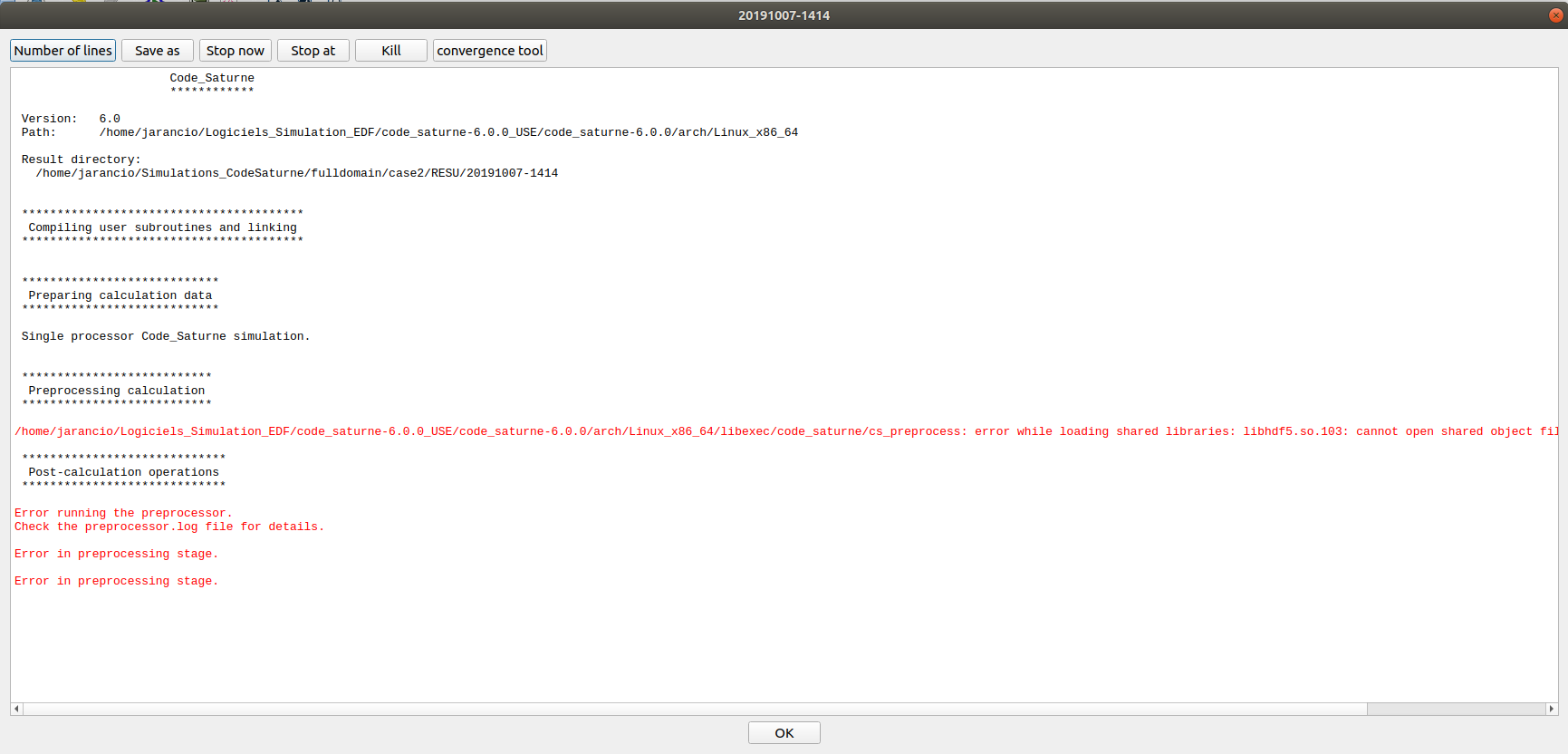
I am trying to install CS 6.0.0 with Salome 9.3.0 (universal version from the Salome-plateform)
I got an issue that I don’t understand, you will find attached every files needed
I have Ubuntu 18.04 and I am currently installing CS with install_saturne.py (i tried too with configure make make install but the issue is the same)
The error seems to be related to a missing low-level library in the SALOME-specific modules of code_saturne, so I assume it is due to the fact that the “Universal” version of SALOME is not so universal as hoped for.
Could you try the install wit a dedicated Ubuntu 18 build of SALOME from the salome-platform downloads page ?
We should try to generate a Ubuntu 18.04 version of Salome_CFD in a few weeks, but in the meantime this seems the most pragmatic approach.
I solved this issue by changing PythonPath from Python3 to Python2.7
Indeed, in Python2.7, I found the missing module ‘sysconfigdata_m_linux_x86_64-linux-gnu’
Now I have a new issue : ‘No module named os’
Is it due to the Universal version of Salome ?
Or maybe I can update Python 2.7 to get os.py ?
The universal version of Salome includes Python 3 (and all versions of Salome 9 use Python 3, with most including a build of Python3), so modifying PYTHONPATH is not a good idea.
I really recomend trying the Ubuntu 18.04 build instead.
Since the topic is exactly the same with my condition, I did not make a new thread.
I have tried to follow Yvon’s suggestions to use dedicated ubuntu 18.04 version of salome 9.3. Code_Saturne 6.0.0 compiled successfully but all salome directories needs to be specified. This is due to different directory trees, instead of the usual appli_ and library_ folders, I get 1 folder setup due to salome tools. As result,
./code_saturne gui
launched succesfully, but
./code_saturne salome
return with:
/bin/bash: line 4: /iwan/salome/SALOME-9.3.0-UB18.04-SRC/salome: No such file or directory
I am trying to compile Salome 9.3.0 for Ubuntu 18.04, but I have an issue about tcl that I can’t solve
You will find attached the end of the compile.log
In it, include <tcl.h> seems to not work correctly, despite I installed packages : sudo apt-get install tcl8.6 tk8.6 tcl8.6-dev tk8.6-dev tcl8.6-doc tk8.6-doc
Yvan, do you know what the problem is and how I can correct it ?
Do i need to compile Salome to install Code-saturne ?
(it’s a Salome error, but I am not registered yet in their forum, waiting for confirmation mail)
Regarding Iwan’s issue, one workaround (at least for testing) would be to run the code_saturne installation and “code_saturne salome” from within a “salome shell” or at least a “salome context” environment, as in this case all the SALOME paths are loaded o the directory structure should have less importance.
But I would be interested to check your code_saturne installation config.log file, in case I notice an error. Do you confirm that for the “salome” option in the code_saturne installation, you used the path for the main SALOME install directory and not that of the application or sources (for the EDF or universal installs, we usually have a main salome directory, with an appli_V9_3_0 and Salome-V9_3_0-s9 or similarly named subdirectories; the directory we need to give is the non-appli one)
But I have not tested it. It is a pain that different Salome builds use different directory structures, and handling all the variants is a mess. I have mentioned this to several SALOME developers over the years but it seems having stable structures and naming schemes does not seem important to them.
As for Jeremy’s issue, I suggest checking on the salome-platform.org website. Hopefully in the near future we can providean install script for SALOME_CFD (but the one we currently have references some internal directories with some library archives not accessible from outside our network to avoid extra downloads, so would need to adapt it the the reference external versions and this is not ready yet).
For Jeremy, you need to compile Salome first if you want to integrate CFDSTUDY since you need salome libraries directores [KERNEL, MED,CGNS, etc.]. I do not know if using python2 be the cause or not, so can you try compiling only with python3? You can use my config file posted before. The upper part consist of libraries I need to install from synaptic package manager so salome can run and code_saturne can be configured to “make” stage. These are fresh from minimal install of 18.04.
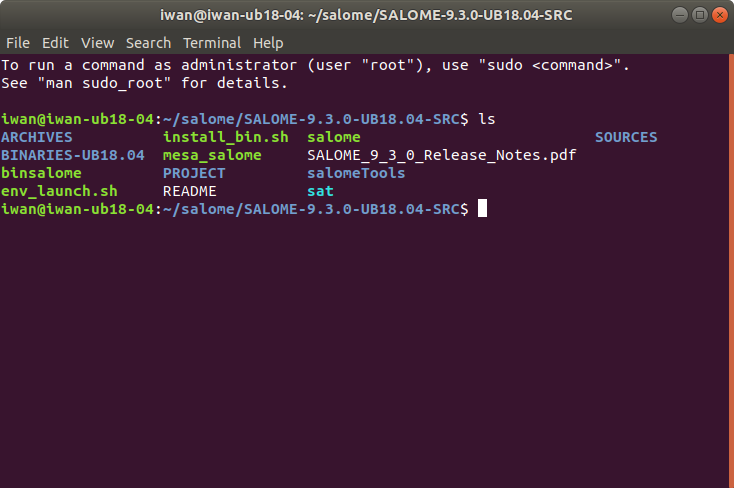
For Yvan, I got the different directory structures consisting only one folder (screenshot attached). As you can see in my config file before, I need to specify all bin, include, and lib dirs instead of --with-med=salome .
I attached also the config.log. So far, I have tried 4 versions of salome: ub18.04_src, univ, univ_withOT, and meca_2019.0.0. Only the 18.04 that:
tells me which library am I lacking (others has the same problem with Jeremy, requires python2 and at the end CS cannot be compiled due to module not found)
has different directory structure. other version has your descrption, e.g. for meca 2019 : appli_V2019_univ and V2019_univ.
Could you help me configure salomeenv (probably in cs_salome.py file at prefix/lib/…/code_saturne)? if the directory structure is the standard one, I can try the one suggested here https://www.salome-platform.org/forum/forum_9/623843773.
I have an Ubuntu 18.04 VM available on my home (Arch Linux) machine, so I’ll probably download the Ubuntu 18.04 version to run some tests, but maybe not before a day or 2.
Did you test the installation and execution under a salome shell ? In this case, it may also be useful to add “–with-modules=no” to the code_saturne configure command so that code_saturne lets SALOME manage environment modules (if present) and does not interfere trying to purge and reload them.
This might work right away.
In any case, Salome 9.x has been ported to Python 3, and some modules may not be compatible with Python 2 anymore, so I recommend everyone to forget about solutions involving Python2, which is nearing retirement anyways.
The salome application is working, all module tested (cycling through them). However, when I run salome shell session, no terminal pops up. The initial terminal where I run ./salome gave
No module named '_sysconfigdata_m_linux_x86_64-linux-gnu'
I tried removing the SALOMERUN option (last line in my config fiile) and add the --with-modules=no .
This time, ./code_saturne gui still works fine and ./code_saturne salome gave
iwan@iwan-ub18-04:~/code_saturne/for_ub18.04_src/bin$ ./code_saturne salome
/bin/bash: line 4: /bin/salome/envSalome.py: No such file or directory
doing a websearch for your error, adding a symbolic link for the missing library between the system Python under /usr/lin/Python3.6 and the Salome Python under /home/iwan/salome/SALOME-9.3.0-UB18.04-SRC/BINARIES-DB09/Python/lib/python3.6/ may help (luckily here, we have the same Python version, so SALOME’s could in theory be replaced by the system Python and appropriate PYTHONPATH settings, though there may be more subtle aspects).
install outside “salome shell” (i.e. from regular environment), and add
to the “configure” options when building (this should compensate for the fact that salome_modules.sh and salome_prerequisites.sh, which are detected by code_saturne in the universal build, do not exist in the Ubuntu build, but is more or less replaced by that file).
For the first option, I can run a few tests on my VM tonight. For the second one, if it does not work, you may combine it with installing from a “salome context”.
Because it was impossible for me to compile from Sources Salome 9.3.0 (error in compile), and because I can’t join their forum, I tried something else :
Salome binaries works well for me in standalone ./Logiciels_Simulation_EDF/SALOME-9.3.0-UB18.04-SRC/salome
Now, I succeeded to install CS 6.0.0 with install-saturne.py, by using libraries in BINARIES folder from Salome
You can see the config.log attached
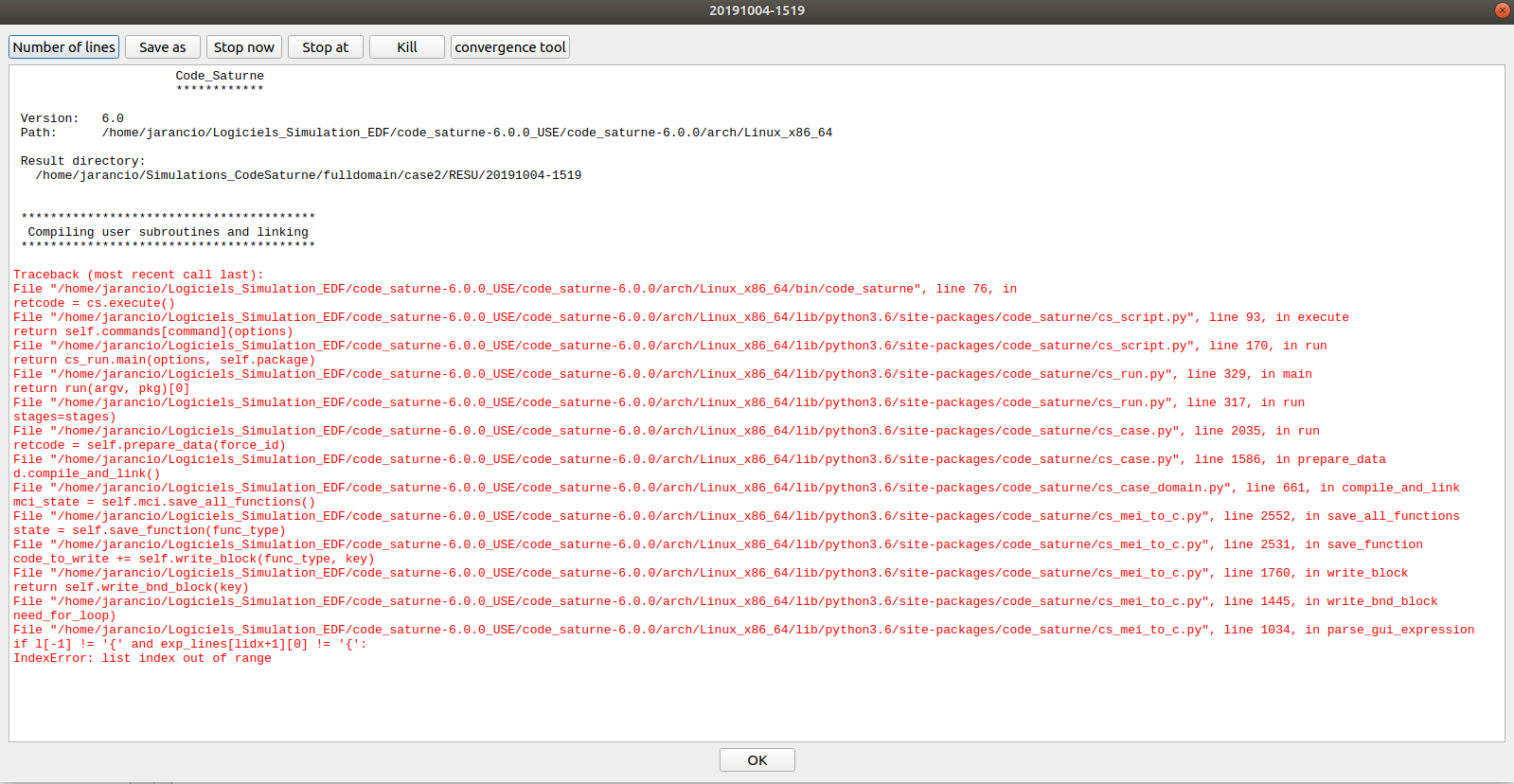
I tested CS by running FullDomaine Case2, and I got this error message (error.png attached)
Furthermore, under Salome shell, when i ran code_saturne salome, as Iwan’s issue, I got the same result “No module _sysconfigdata_m_linux_x86_64-linux-gnu.py”
I created so a symbolic link as you explained Ivan
[NS=arancio:2814]$ code_saturne salome
Traceback (most recent call last):
File “/usr/lib/command-not-found”, line 27, in
from CommandNotFound.util import crash_guard
ModuleNotFoundError: No module named ‘CommandNotFound’
So Code_Saturne Salome doesn’t work for me
Anw, I don’t even understand what code_saturne under Salome does ..
But It will help I think Iwan
The “command_not_found” error is strange. I am not aware of a usual library or module of that name in that place, so I wonder if the link or some other command did not create a file from an incorrect command output. I’ll check on Ubuntu.
In any case, using code_saturne with Salome adds a few minor features, such as checking the boundary zone selection (if based on group names) and probe locations directly on SALOME (though this is not as easy to use as it should be due to the way Salome modules interact). Otherwise, with the EDF build, you can have OpenTURNS integration for uncertainty studies. All the rest you can have under “standalone” code_saturne, so using SALOME only to provide prerequisites is fine, the additional integration is probably not worth the effort when the installation does not work immediately.
The other error you have may be due to a bug, or a slightly more restrictive syntax in the MEI expression handling (now transformed to C code in the new MEG part for better performance). Could you post your XML file ? That is all I need to check that part.
Congratulation on the compiling. I have not test the build yet, so I do not know if there is any error. However, upon reading the junction tutorial I notice there is no options to choose pre-processing or calculation mode in the my GUI. Do you have those in yours?
You can run code_saturne and salome saparately. i.e. you create geometry and mesh in salome and export the mesh to code_saturne for calculation. Running
./code_saturne salome
should load a CFDSTUDY module inside salome, think of it like additional CFD module to CAD program. I am planning to integrate salome with code_saturne (CFD) and code_aster (FEA).
The preprocessing/calculation mode has been removed in the GUI (replaced by a “computation type” option in the Mesh/proprocessing section), so it is normal that you do not find it.
Also, to start the computation, you now have a button on the toolbar instead of a page in the tree. The other changes in the GUI should be relatively straightforward).
The crash in your setup.xml file is due to some “fragility” in the way the expression is parsed so as to transform it to C code. More work on this is planned.
In the meantime, you can avoid the crash by using line breaks (I recommend indentation also) beween the if, then, else clauses.
For example, replacing:
if (0<=t<=3.8){
 temperature=20 + 100*t;
}
else {
 temperature=400;
}
with
if (0<=t<=3.8){
temperature=20 + 100*t;
}
else {
temperature=400;
}