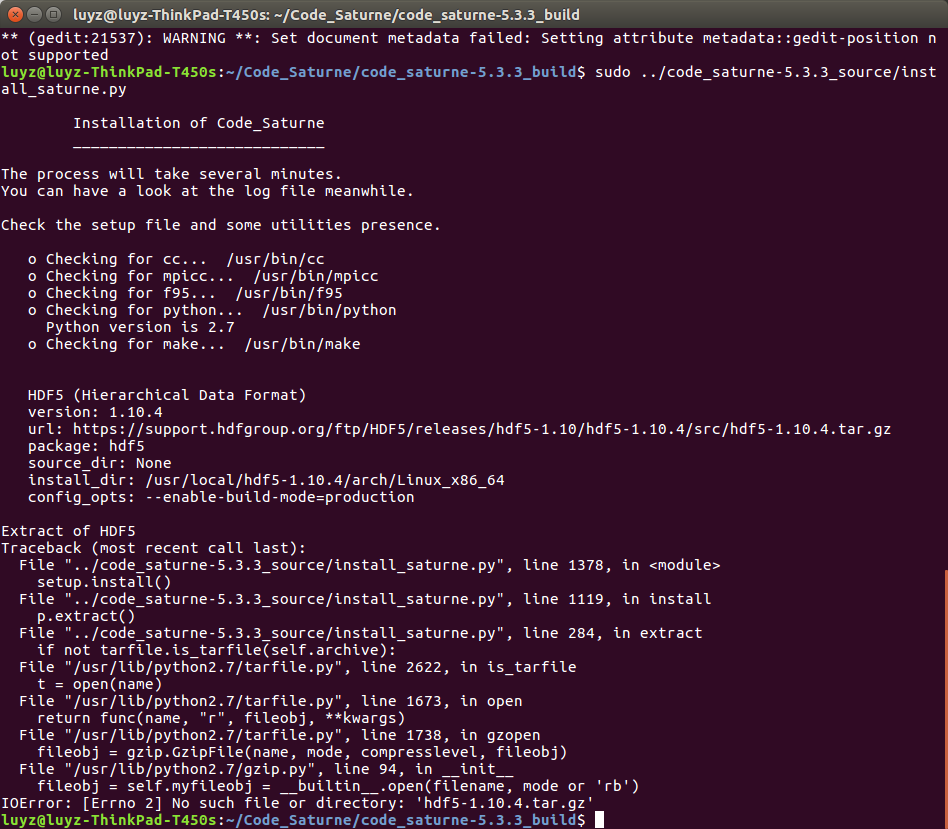
I download the packages of Code_Saturne(version 5.3) from the official website(https://www.code-saturne.org/cms/Intermediate-version-53) and installed the code with using an automated installer (install_saturne.py) on my PC (Ubuntu 16.04). However, when I tried to import a MED format mesh into the Code_Saturne, it can not be performed. The contents of preprocessor.log are shown below.
So I realised that I did not install the third-party software, such as MED. So how can I fix this problem? I am not so familiar with Ubuntu system. Thank you!
File format “MED” support not available in this
installation (file “/home/luyz/Code_Saturne/My_Cases/MISTRA_HM1-1_refinedmesh1-new/MESH/MISTRA3DQinjhoriz75vent_refined_1-new-2.med”).
When using the automatic installer, before launching the installation, you can edit the “setup” file generated on the first pass so as to also install the MED library (see the comments inside).
You should edit that file and re-run the installation.
Thank you for your reply.
Since I have installed the code, do I need to uninstall it and go through the installation process again? Or do I just have to install the MED package?
I edited the “setup” file again and re-run the “install_saturne.py”, but I can not install these optional libraries.
The part of the “setup” file where I edited is as follows:
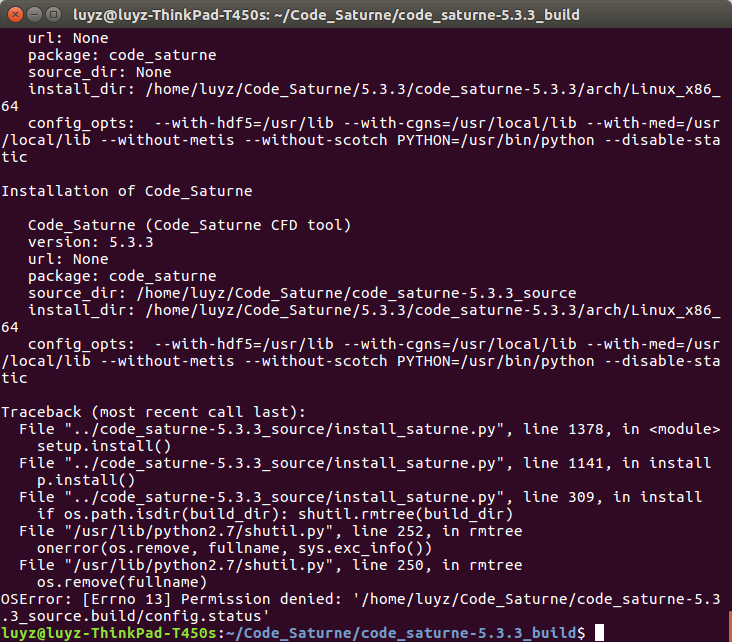
I do not reproduce this issue but it may be due to running as root/sudo.
I recommend not installing using sudo, or doing it only for the last stages of installation (the automatic installer is designed for regular users, who may not have/need root access; for more complex or global installs, the low-level install (as described in the installation guide) should be used.
If you need to install the code in a public directory, you can successively run the script without sudo (to download, configure, and compile) then “cd” to the the build directory of each tool (hdf5, med, Code_Saturne) and run “sudo make install” when the script fails installing due to permission issues.
For a “private” installation, not root/sudo is needed, everything can work from a user account.
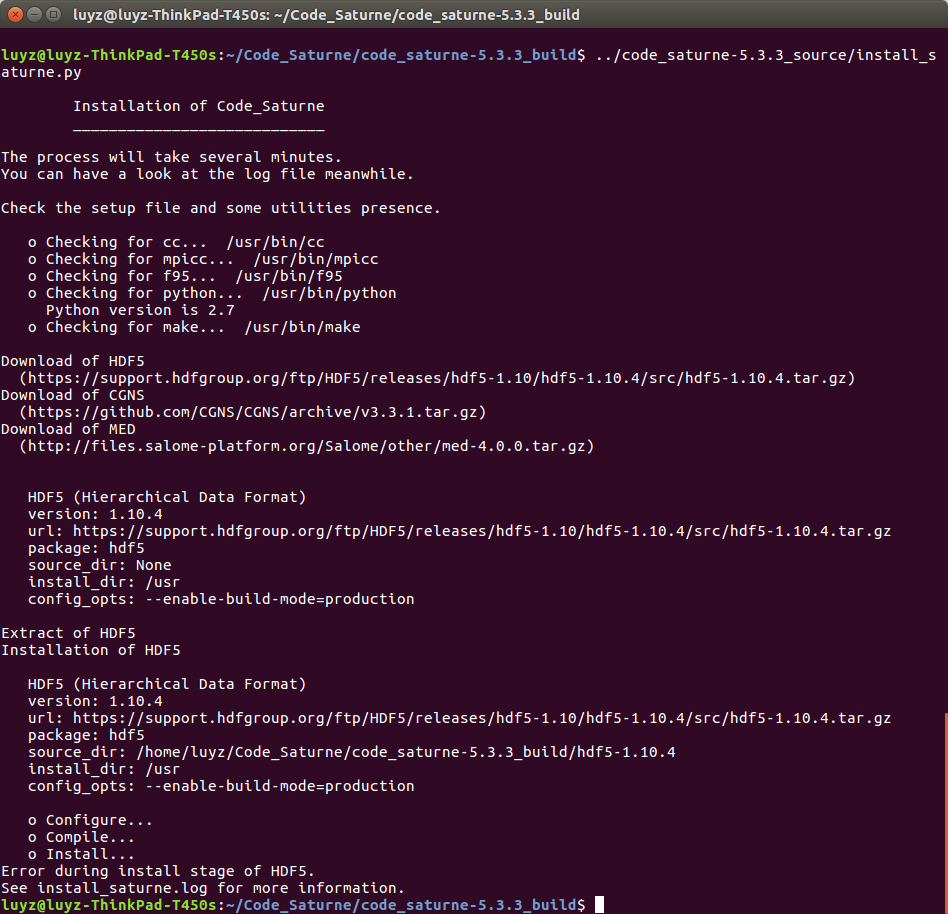
There is a new error occurring when installing HDF5 and I can not figure out why it happen. Could you check the installation log and other files attached in the post?
Thank you!
When not installing as sudo, you need to install in a user account you have writer permission to.
The other solution is to do as I mentioned in my previous post, i.e. “cd” to the hdf5 build directory, run “sudo make install”, then re-run the automatic installer using the new hdf5 install (use=yes, install=no, path=) in the setup.
You will have the same issue and solution for each step (med, cgns, and Code_Saturne).
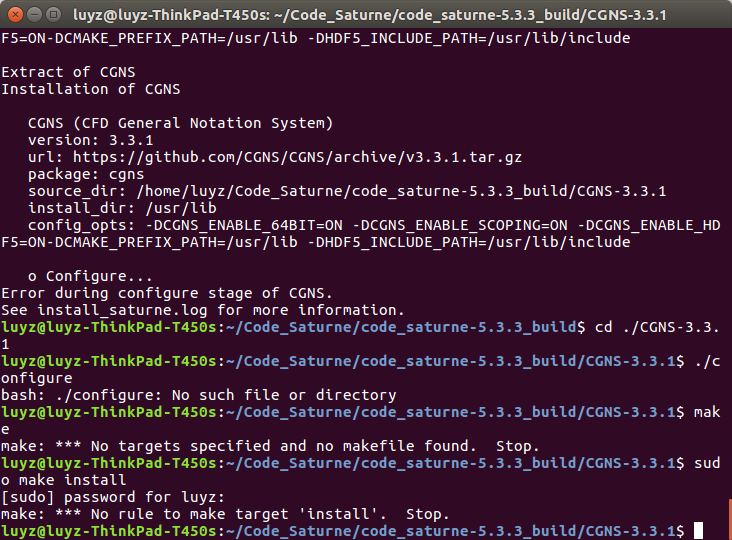
I installed the packages one by one and when it turns to CGNS, there is nothing in the cgns build directory. So I went to the ./CGNS-3.3.1 directory, and I tried “./configure”, “make” and “sudo make install”, but I could not install this package. install_saturne.log (29 Bytes)